Go home on time.
Without compromising
on documentation.
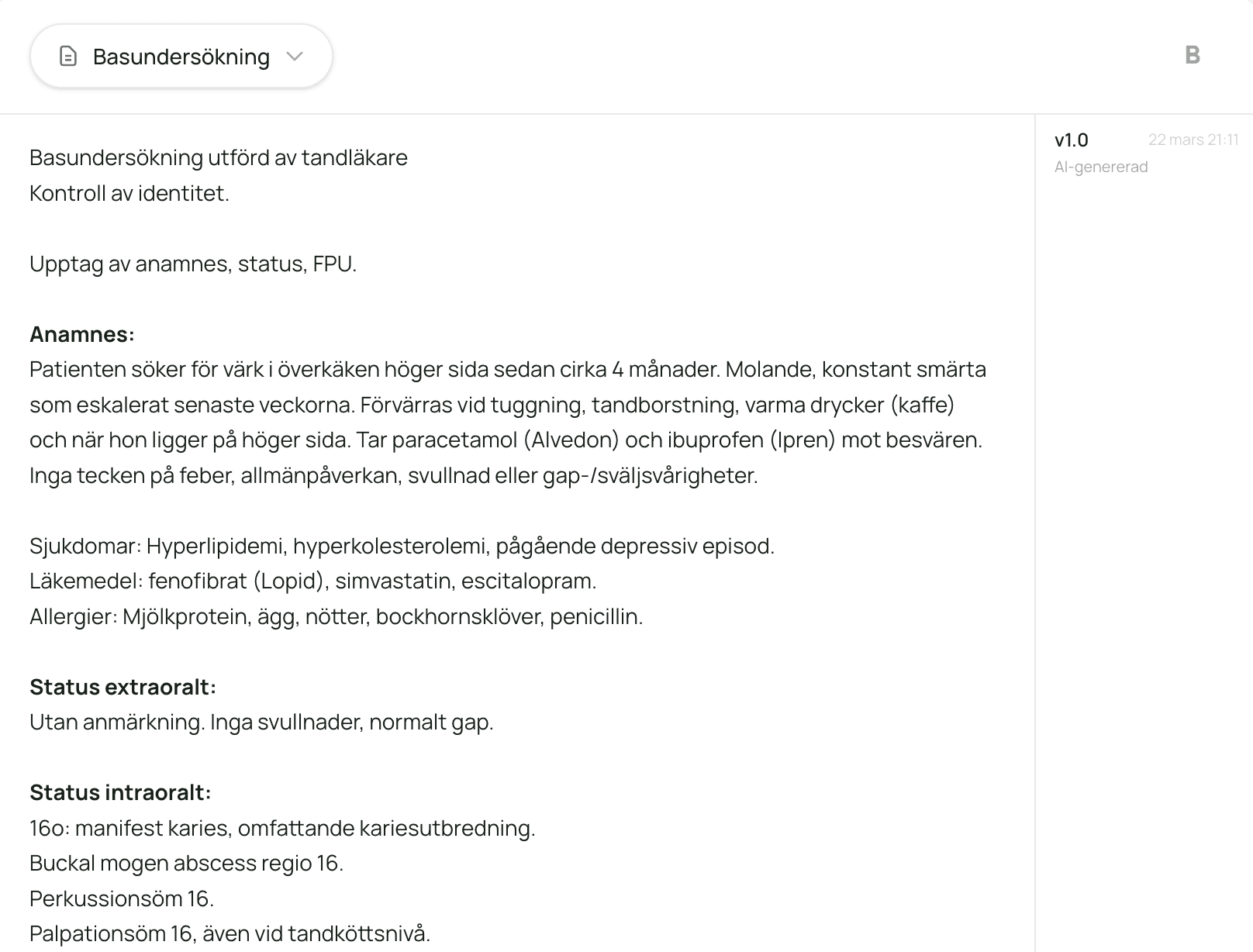
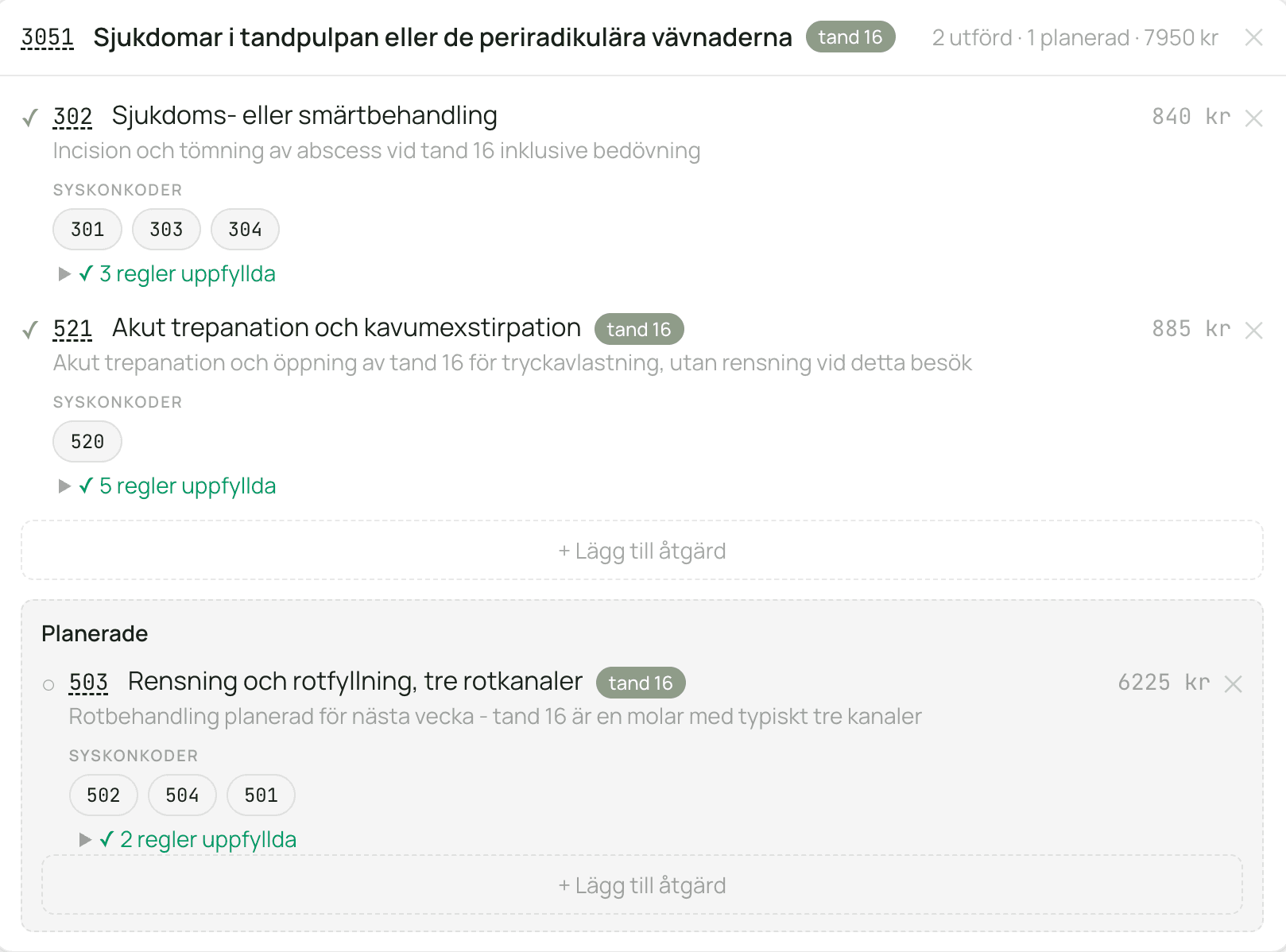
You became a dentist for the patients, not for the screen. Tandela creates clinical-note drafts, suggests possible codes and helps you review the documentation requirements. You focus on what matters.
Administration dominates the dentist's day. Most write notes after closing time, check codes manually and hope the documentation is enough at the next audit.
97%
believe administrative work should happen during work hours
You examine, explain, treat. Tandela listens in the background. Start and pause the recording with a single button press. The system distinguishes who is speaking, filters out what isn't relevant and creates a draft with history, status, the clinician's documented assessment and procedures. Possible codes are suggested with their per-code requirements. Points that may need to be reviewed are shown. You review, edit by voice if needed and approve.
Speed
Everything in seconds, not hours
The draft is ready immediately after the patient meeting. Code suggestions run in the background. You don't have to leaf through the code book, check combination rules or write phrases from memory. Tandela handles the structuring. You review the result. The difference is noticeable from day one.
Get started
No installation. Open and start.
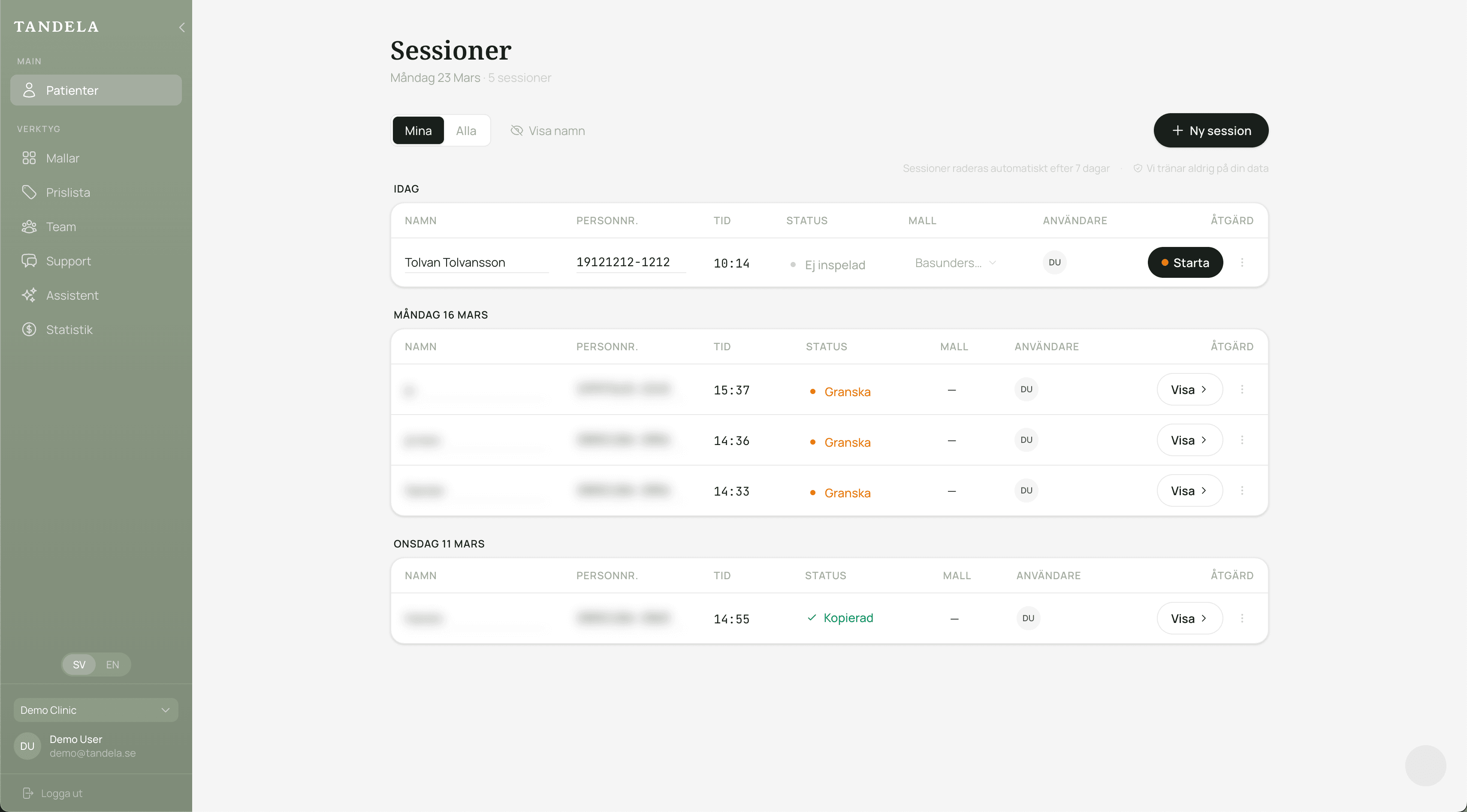
Tandela runs in the browser. All you need is a microphone. No download, no IT department. Open, talk, review, approve. Most people create their first note within minutes.
A normal day with Tandela
Here's what your workday looks like when documentation takes care of itself.
1
Start the recording
Open in the browser, start with a button press and talk with the patient as usual.
2
Draft and code suggestions
The clinical-note draft is created immediately. Possible codes are suggested. Per-code requirements are shown for the clinician to review.
3
Refine
Edit by voice or manually. All changes are saved.
4
Next patient
Approve, copy into the practice management system. Go home on time.
 dentists