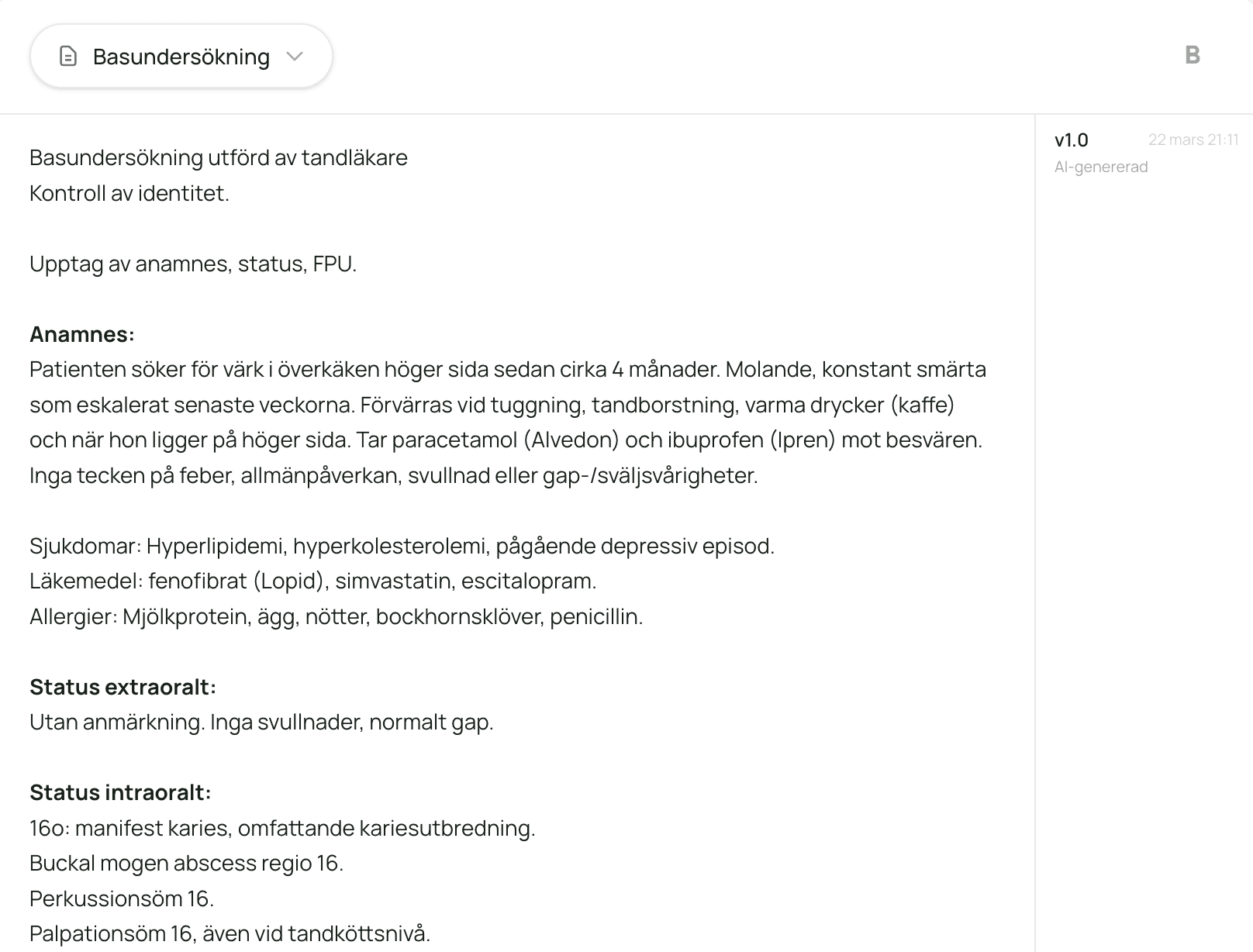
Tandela listens to the patient meeting and creates a clinical-note draft while you're still talking with the patient. Right structure, right terminology, full history preserved. The clinician reviews and approves.
Clinical documentation is the most time-consuming administrative task in dentistry. Notes need to be complete, accurate and meet the regulator's documentation requirements. In practice, most are written after hours, from memory, under time pressure.
59%
do administrative work after hours several times a week
Talk with the patient. A draft of the note is created.
You talk with the patient as usual. Tandela listens in the background and separates your voice from the patient's without any setup. Filler words and repetitions are filtered out. What the clinician explicitly states is structured into a draft with history, status, the clinician's documented assessment, treatment plan and procedures. Start and pause the recording with a single button press. Easy to use during treatment.
Structure
Right terminology, right format. The draft adapts to each procedure code's requirements.
The draft is formatted with dental terminology and your clinic's structure. You decide which sections to include: history, status, assessment, treatment plan, notes. Tandela then matches the draft against the documentation requirements for each procedure code and shows possible additions where something may be missing, so the clinician can review whether the record meets what the regulator requires for that specific code.
Control
Need to change something? Talk, and Tandela updates the draft.
Edit by speaking. Tandela transcribes your instructions, shows a proposed change and waits for the clinician's approval. You can also edit manually. Every version is saved with source (AI, voice or manual edit), timestamp and who made the change. You can compare versions and roll back to a previous one with a single click.
From patient meeting to a draft ready for review
Four steps. No dictation, no manual formatting.
1
Start the recording
Tap to start and talk with the patient as usual. Tandela listens and distinguishes who is speaking.
2
Draft is generated
A structured clinical-note draft with history, status, the clinician's documented assessment and procedures. Dental terminology is added immediately.
3
Refine if needed
Edit with your voice or manually. Tandela matches the draft against each procedure code's documentation requirements and shows possible additions for the clinician to review. All changes are saved.
4
Approve and export
The clinician reviews, approves and copies into the practice management system. The full history is preserved.